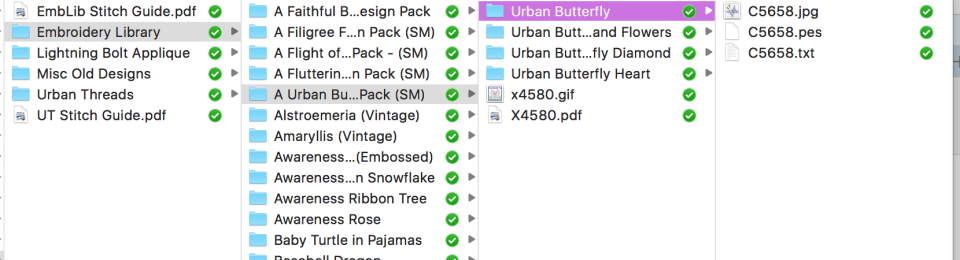
Backup Rule #1: Multiple Backups
This time she’s going to not only use her computer and thumb drive, she’s going to make a DVD of all her designs. We’ve already discussed this. It will happen.
Backup Rule #2: Keep One Backup Offsite
Give a copy to a friend. No, this isn’t “sharing” and thus breaking blah-blah codes. (OK, I mean it could be because once you give it to said friend, they could technically access it. Really though, this is just smart. What if your entire house burns to the ground?) Stick it in a safety-deposit-box. Stash a disc in your car. (Just don’t think it’s music… awkward.)
Backup Rule #3: Cloud Storage
There is always the almighty cloud. You can create your own in-home cloud storage for all your devices using a server or external hard drive connected to your router. Another option is to pay for storage. Google Drive, Microsoft One Drive, Dropbox, Amazon, and Apple iCloud all offer free to paid services, depending on how much storage you want.
The caveat with cloud storage via the internet is you have some additional security concerns. I don’t recommend keeping your sex tape, pictures of your boobs, or your banking and tax documents on these services. However, it’s a great additional backup source for your data. I doubt anyone is going to hack your cloud drive to steal your Great Aunt Edna’s cookbook you are sharing with family and friends. They will, however, happily steal your sex tape and upload that crap to youtube. There’s a whole thing about jack-ass exes who do this for grins and giggles. (Or maybe Great Aunt Edna’s cookbook had all those sexy time recipes. I don’t know… that’s between you and Great Aunt Edna and your family. No judging here.)
So lesson learned here, kiddies. Cloud storage is great, but you do need to remember personal safety and realize it could get hacked so store items wisely.
Backup Rule #4: Check your backups and sync your backups regularly
Backups do no one any good if they die. Which is why you should make a habit of checking your various backups just to make sure they are still viable. Also that you haven’t lost them. This will also show you what you need to update in your backups.
 Lady Ozma's Journey
Pingback: A Peck of Crated Peppers | rarasaur
I’m so glad I read this! I’m usually pretty leary of “updates” & I keep getting prompted to go to “10” but I’ve paid no attention. I never considered the emb software might not after! Eck!
Thanks for sharing!
LikeLike
You are welcome! This is one of those, “No way am I going to let anyone else run in to this problem!” It stinks!
LikeLiked by 1 person