
Tags
broken netbook, chrome, chrome on sd card, chrome os vanilla, chromebook, computers, diy, geek gurl, hexxeh, lady ozma, linux, netbook, photo essay, sd chrome, tech, tutorial, ubuntu, usb ubuntu
After inserting, I opened up the netbook and hit power. After a quick change in boot order in the BIOS I was ready to roll. Within seconds:
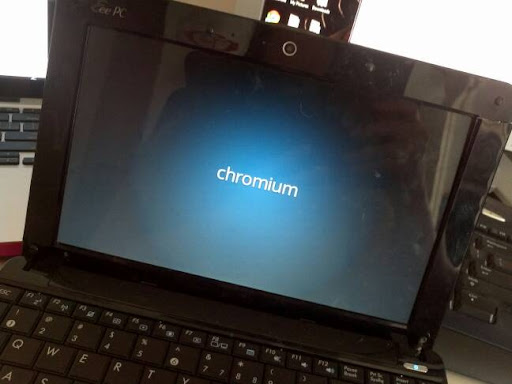
Joy!
It worked!
The Chromebook took about a minute to boot up. I’m sure loaded to a working hard drive would prove faster, but sadly I do not have that option.
The first thing I saw? A simple box asking for language and to choose a network. And then…

Google ID Request!
And that was the end of set up. It worked. I was in, on the net, and ready to roll!
(I actually logged in as a guest so that my information would not be there. However I tested before on the USB drive and it even imported all my Chrome extensions and theme from my Google Account!)
So what does a Chromebook look like?

Chromebook live!
That’s it! The idea behind Chrome OS is cloud computing. Which makes it perfect for a netbook with no hard drive. With Chrome as your browser, you get all sorts of extensions allowing you to do everything in the cloud. I’ll admit, I tested out Angry Birds and it worked like a charm! Go Chromebook!
I piddled around for a few minutes, but pretty much your chrome browsing experience is what you get. For a boy using this netbook for the web only? This is perfect.
Besides, now my friend can brag about owning a Chromebook to all her friends. Geek status points!
Anyone lucky enough to play with an offical Chromebook?
–Lady O
Page 1
Page 2
Related articles
- DIY: Linux Netbook Take 2 (ladyozma.info
 Lady Ozma's Journey
Yes, I’ve been playing around with a Samsung Chromebook at work for a few weeks now. See http://mconnick.tumblr.com/
LikeLike
Lucky you! That is pretty cool! I gotta say, it is a pretty snazzy thing if all you do is in the cloud! I didn’t get to play enough to see how to add in Skype usage though. Bummer, right?
LikeLike
Pingback: Linux Netbook Take 2 « Lady Ozma's Journey
Pingback: Design Challenge – MS Word Only (with DIY) | Lady Ozma's Journey